Have you ever faced the situation that even using git mv -force doesn't work. Or have you ever decided to rename a file or a folder just by changing letter's case and ran into an issue that git doesn't detect changes, or has two versions of the same changes, one for old name, one for new?
If those cases don't work for you, maybe this blog would help, at least one more try.
git config core.ignorecase false
git config --local core.ignorecase false
git config --global core.ignorecase false
git mv -f yourFile YourFile
Rename from '.../draggableDialog' to '.../DraggableDialog' failed. Should I try again? (y/n)
The file exists error, preventing you from merging, rebasing...
And if following some instructions online also doesn't work out.
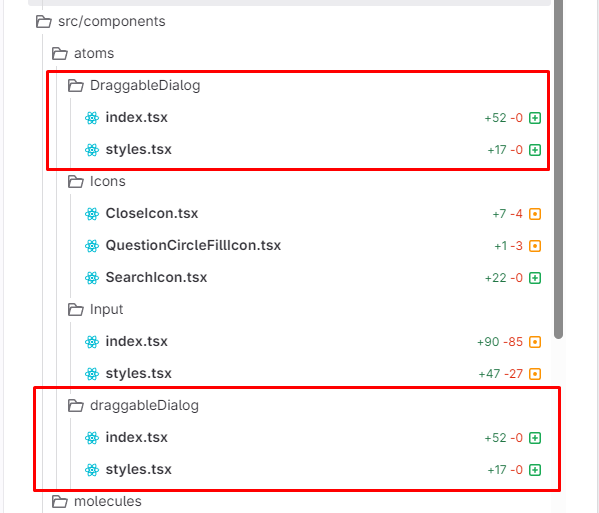
599 x 513, 32.0 KB, PNG
Duplicate changes when changing folder name.
Sometimes, you may end up with 2 changes with just different names!
For example, we want the "draggableDialog" folder to be renamed to "DraggableDialog" folder, but in git change shows 2 of them, we can do like this
powershell
git mv just-copied-relative-path temp-path

# example
git mv src/components/atoms/draggableDialog src/components/atoms/temp
Rename your folder/file to a temporary name
Tips
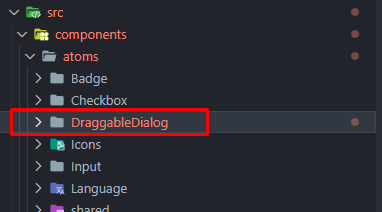
Even if the file/folder that you want to rename doesn't show on the IDE (VSCode), you can also rename/move it if you can see it was there on the change (like PR/MR changes)
382 x 212, 7.3 KB, PNG
For example, the draggableDialog isn't there, but you can just copy the relative path of this DraggableDialog (saving your time typing) and do as the following: