An Open Graph image is crucial for creating an appealing webpage. It can be configured both statically and dynamically based on data managed by tools like a CMS. But with Next.js, you can push this dynamic capability even further.
In older Next.js versions, it supports via a tag imported from next/head.
jsx
import Head from 'next/head';

export default function HomePage() {
  return (
    <>
      <Head>
        <title>My Awesome Page</title>
        <meta name="description" content="This is an awesome page made with Next.js" />
        <link rel="icon" href="/favicon.ico" />
      </Head>
      <main>
        <h1>Welcome to My Awesome Page</h1>
      </main>
    </>
  );
}
An example usage of next/head
At the time, I found Next.js to be one of the first frameworks that handled SEO-related tasks exceptionally well. I had been struggling with meta tags in React, and Next.js made it much easier.
Back then, we had to manually create those tags…
Next.js supports SEO well, but we still need to manually create meta tags and place them in the Head tag. Although this process is more convenient in Next.js compared to other frameworks, it still requires us to carefully decide which tags to include, understand their syntax, and determine the appropriate values.
Starting from Next.js 14. SEO is easier than ever.
Next.js now supports those meta tags seamlessly! We have several ways to create the meta tags that suit our need: file-based opengraph, metadata object, create metadata object asynchronously…
With metadata object, we manage the meta tags by object - just fill in, and Next.js will generate them for you.
jsx
// app/page.tsx or app/layout.tsx
export const metadata = {
  title: 'My Awesome Page',
  description: 'This is an awesome page made with Next.js 14',
  icons: {
    icon: '/favicon.ico',
  },
};
Next.js 14 automatically generates meta tags based on the metadata object.
The Open Graph image can be set as a fixed image for the entire website, served dynamically by a server or CMS, or even generated on the fly.
Yes. It could be like that.
We can easily define a route in Next.js that would return an image based on the content you passed in.
1920 x 1080, 278.1 KB, PNG
The preview image is dynamic
When we need this?
It’s when you can’t control the number of pages!
For example, if your website has a search results page, the content can vary greatly depending on the search term and the data returned. In this scenario, you might want a different Open Graph image for each search, but it’s challenging because you can’t predict how many variations there will be.
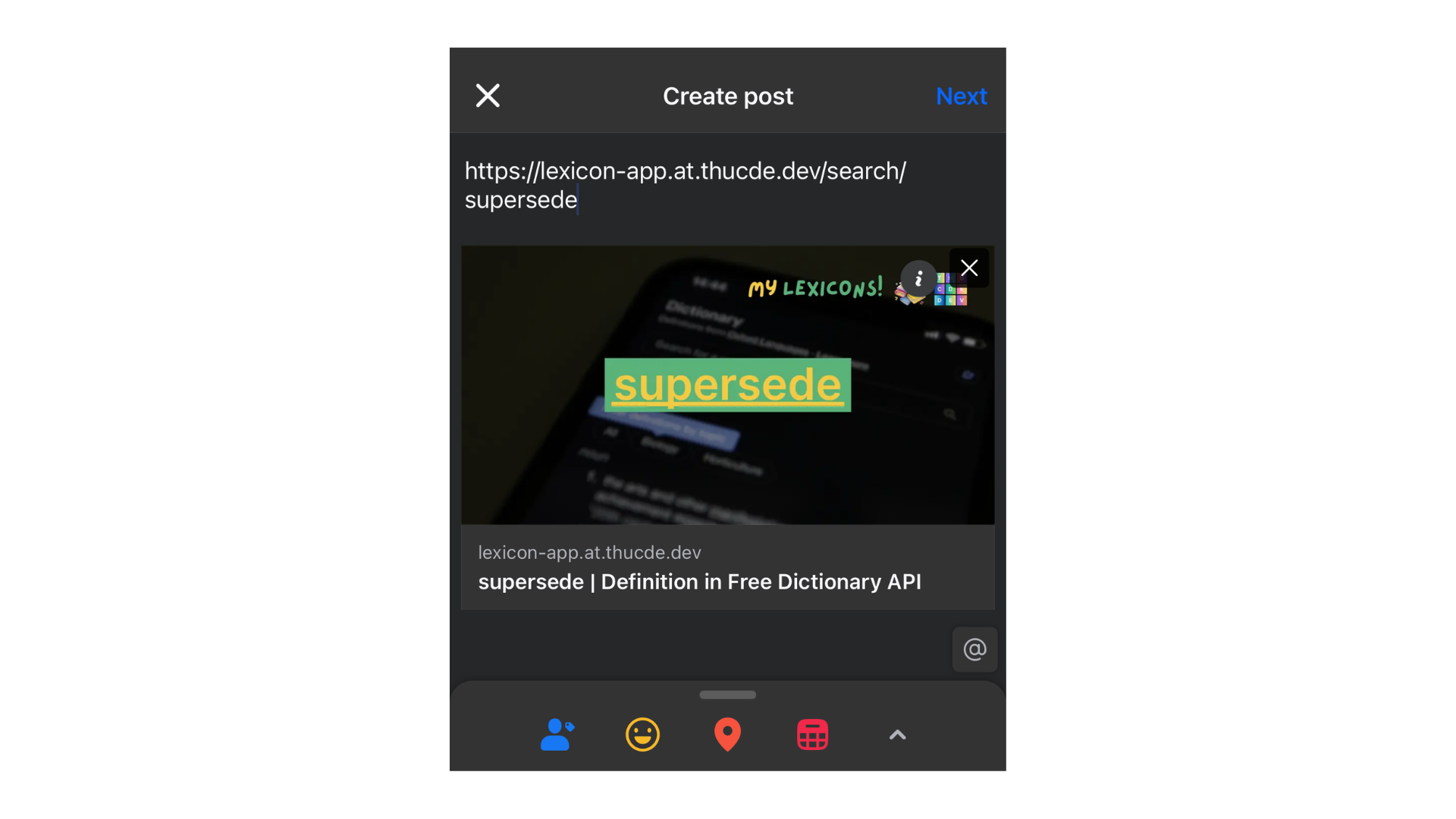
In the image above, the preview image is generated after the initial search is sent to Next.js. The image features a static background with dynamic text displayed at the center.
1920 x 1080, 247.1 KB, PNG
The preview image is generated dynamically based on the word, in this case: supersede.
If you choose not to implement this suggestion and believe it to be unnecessary, that is entirely your prerogative. It is your page, and you have the discretion to make such decisions. However, incorporating this small change would enhance my experience as a user when viewing a preview image on social media.