
2 min read
Something to fix on ourside?


I avoided using GitHub Actions to deploy Node.js apps to Azure for years. Why? Because I simply couldn't get them to work. I would see "Build Succeeded" and "Deployment Successful" messages, yet the actual application would crash immediately upon launch.
Today, I faced the same issue again. However, this time I had my AI companion to help debug. After several prompts and failed attempts, I finally found the root cause and a permanent fix. I’m sharing it here to save you the headache.
The issue lies in the default behavior of the GitHub Actions build service. By default, it runs npm start
Many Node.js developers use nodemon in their startnodemon
Why does this happen?
nodemonnode index.js
You have a few ways to fix this:
node index.jsnodemonWhile the first two options are straightforward, I prefer the third approach as it keeps the configuration within your deployment script.
Locate the Workflow File: Go to your GitHub repository and open the branch you are deploying. Navigate to .github/workflows.yml
Edit the YAML: Click "Edit" and paste the following code block just before the deploy step (the step with id: deploy-to-webapp):
      - name: Set Azure startup command
        uses: azure/cli@v2
        with:
          inlineScript: |
            az webapp config set \
              --name <YOUR_APP_NAME> \
              --resource-group  <YOUR_RESOURCE_GROUP> \
              --startup-file "node index.js"
As for the full yml script, you may refer the below snippet
name: Build and Deploy Node.js App

on:
  push:
    branches: [main]

jobs:
  deploy:
    runs-on: ubuntu-latest

    steps:
    - uses: actions/checkout@v5

    - name: Setup Node.js
      uses: actions/setup-node@v4
      with:
        node-version: '20.x'

    - name: Install dependencies
      run: npm install

    - name: Build (if any)
      run: npm run build --if-present

    - name: Set Azure startup command
      uses: azure/cli@v2
      with:
        inlineScript: |
          az webapp config set \
            --name <YOUR_APP_NAME> \
            --resource-group <YOUR_RESOURCE_GROUP> \
            --startup-file "node index.js"

    - name: Deploy to Azure
      uses: azure/webapps-deploy@v3
      with:
        app-name: "<YOUR_APP_NAME>"
        publish-profile: ${{ secrets.AZURE_WEBAPP_PUBLISH_PROFILE }}
        package: .
A full example of Github Actions YAML script to build and deploy Node.js to Azure App Service
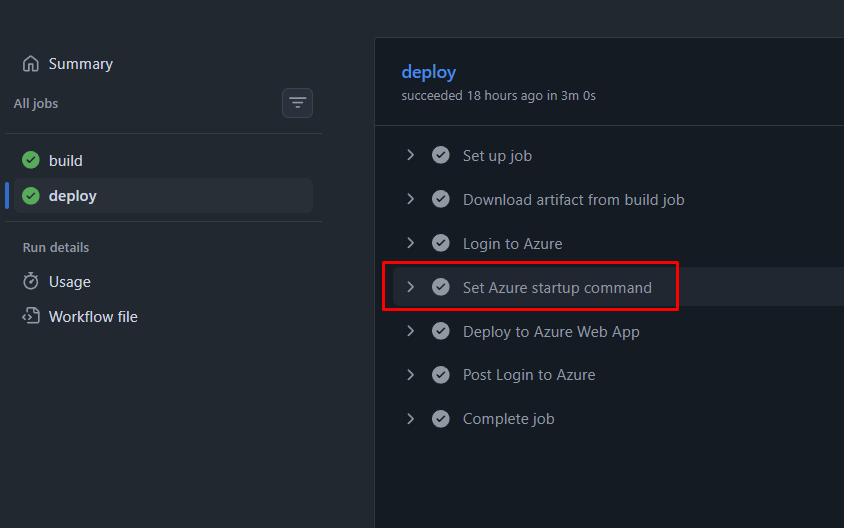
Deploy: Now, your application should start without errors.
I hope this helps!