You’ve Probably Seen Dynamic Images—You Just Didn’t Know It
You might have come across dynamic images before without realizing that’s what they were.
In the early days of web development, most websites were static and content-focused. Back then, when a webpage was shared on platforms like Facebook, Twitter (X), LinkedIn, or even Zalo, the preview image shown was automatically generated—typically pulled from the page content or meta tags. That’s why even many older websites still display a preview image when shared.
These automatically generated preview images heavily depend on how each social platform handles metadata and scraping. Sometimes they work well. Other times, the image might get cropped awkwardly, the wrong image might be selected, or no image appears at all. This inconsistency negatively affects user experience—and often frustrates the content owner.
As the web evolved, so did expectations. Content creators and developers started wanting more control over how their links appeared when shared—especially the preview image.
People began designing their own custom preview graphics to match branding, aspect ratios, and positioning requirements. While this improved visual consistency, it also had limitations—mainly because it relied on manually creating and assigning these images ahead of time.
Today, large-scale platforms—especially e-commerce sites—take preview images to the next level. Instead of using static assets, they often generate dynamic preview images on the fly. These images reflect real-time data, like a product name, pricing, or a user-specific promotion, depending on the URL being shared.
This is typically achieved through sophisticated metadata management systems. For example, when a user shares a URL, the preview image is dynamically generated at that moment, rendered with fresh content and tailored to that specific page.
If you’re not building Amazon or Shopee, and you don’t have a dedicated infrastructure for metadata rendering, how can you take control of preview images?
Most websites still rely on inserting basic tags in the HTML to define which image should appear as the preview. This works well for most use cases—you can assign a specific preview image per page, and social platforms will use it as expected.
However… this approach starts to fall apart when your site generates unpredictable or unlimited URLs.
Let’s look at two such examples:
A search results page where users can enter any term
A user profile page where the number of profiles is unknown in advance
For search pages, you simply can’t know every possible query someone might run. And while you technically can know all your users and their profile URLs, you might still want their preview images to follow a template—for example, placing their profile picture inside your brand’s logo frame.
Let’s say you want all your preview images to follow a consistent, rule-based design. For example:
Every profile page should generate a preview with the user’s name and avatar, embedded in a branded layout
Every search term should produce a custom preview image that highlights the searched keyword
Imagine these two URLs:
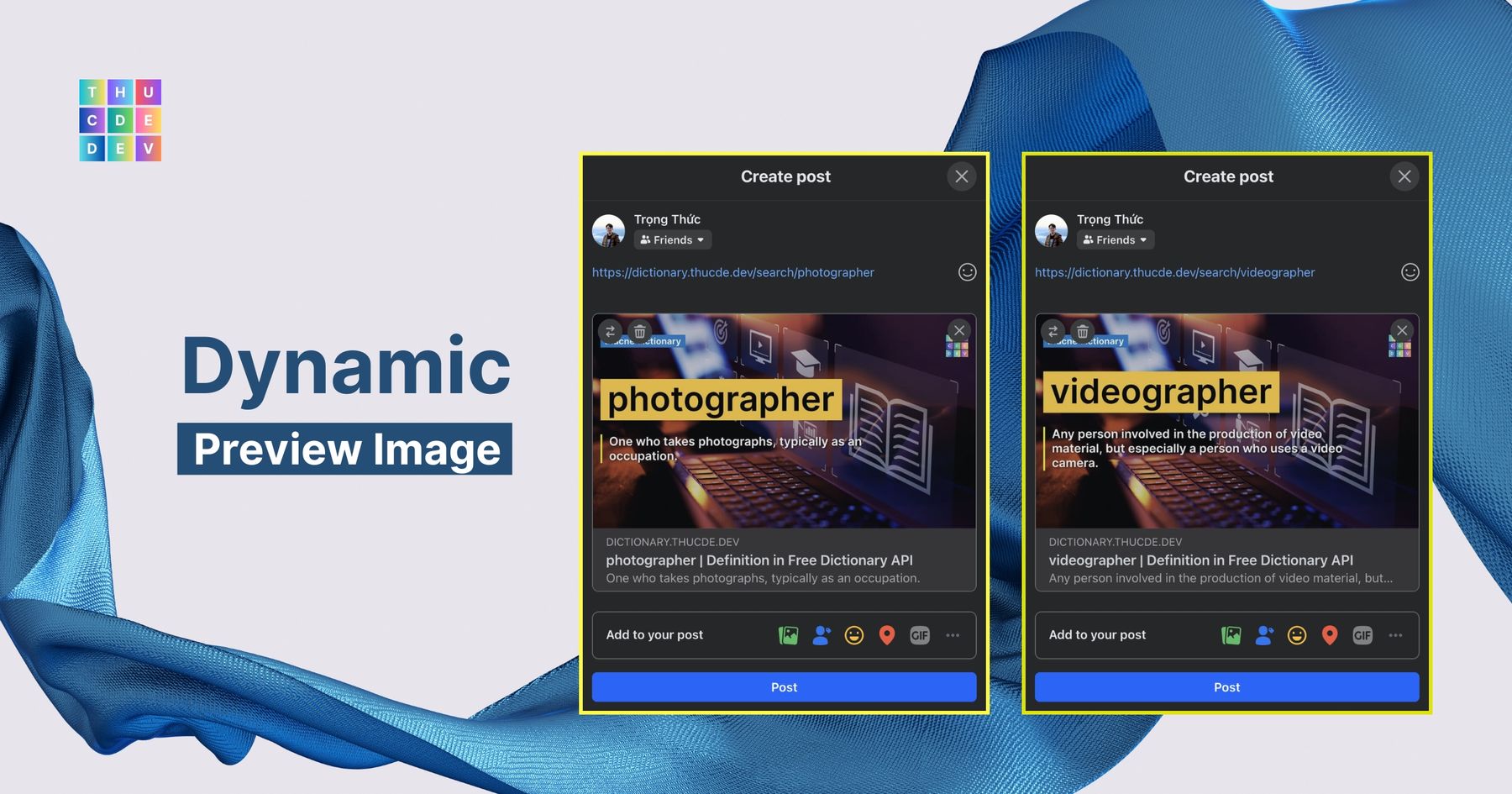
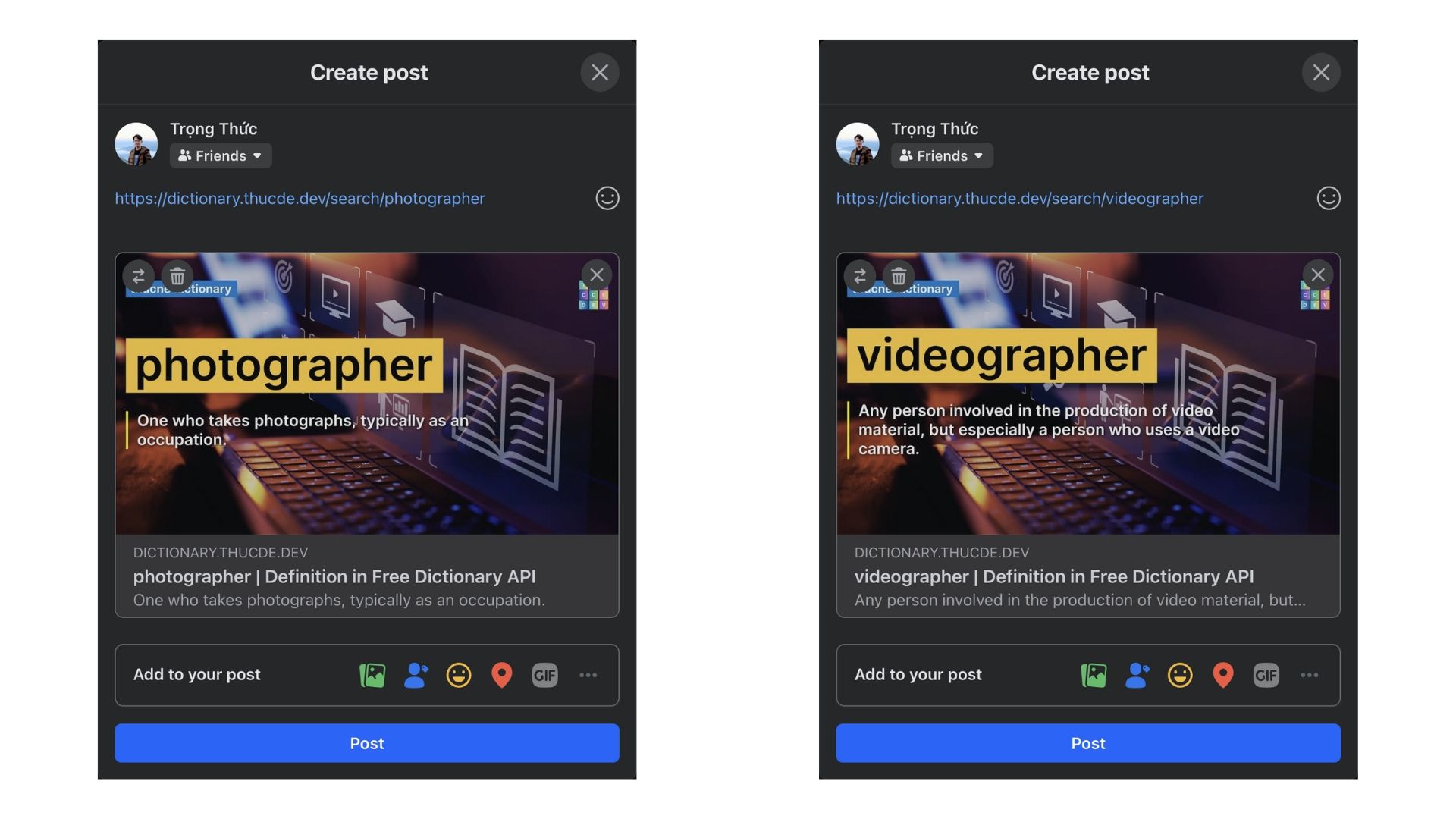
/search/photographer
/search/videographer
Both share the /search/ prefix, meaning they serve the same type of content: a definition or explanation of a term.
However, each path represents a different term, and you want the preview image to reflect that difference.
With dynamic preview images, this is completely possible—and powerful. You can generate custom Open Graph images for each page automatically, without having to manually create and upload assets for every new keyword or user.
1920 x 1080, 167.2 KB, JPG
The preview image is generated automatically based on the URL.
As long as a new path exists, a new preview image can be rendered dynamically to match it. This isn’t just efficient—it scales beautifully.
You changed the Open Graph image, but Facebook or LinkedIn still shows the old thumbnail. Platforms cache previews aggressively — use their debuggers to scrape again.
X does not always keep a public Card Validator. Practical check: validate when a tool is available, or draft a new post with the link — drafts often fetch the latest card. If the preview is still wrong, confirm your OG tags on the live HTML first, then retry.